
Redesigning a legacy settings dump into an agentic AI workflow that earns user adoption
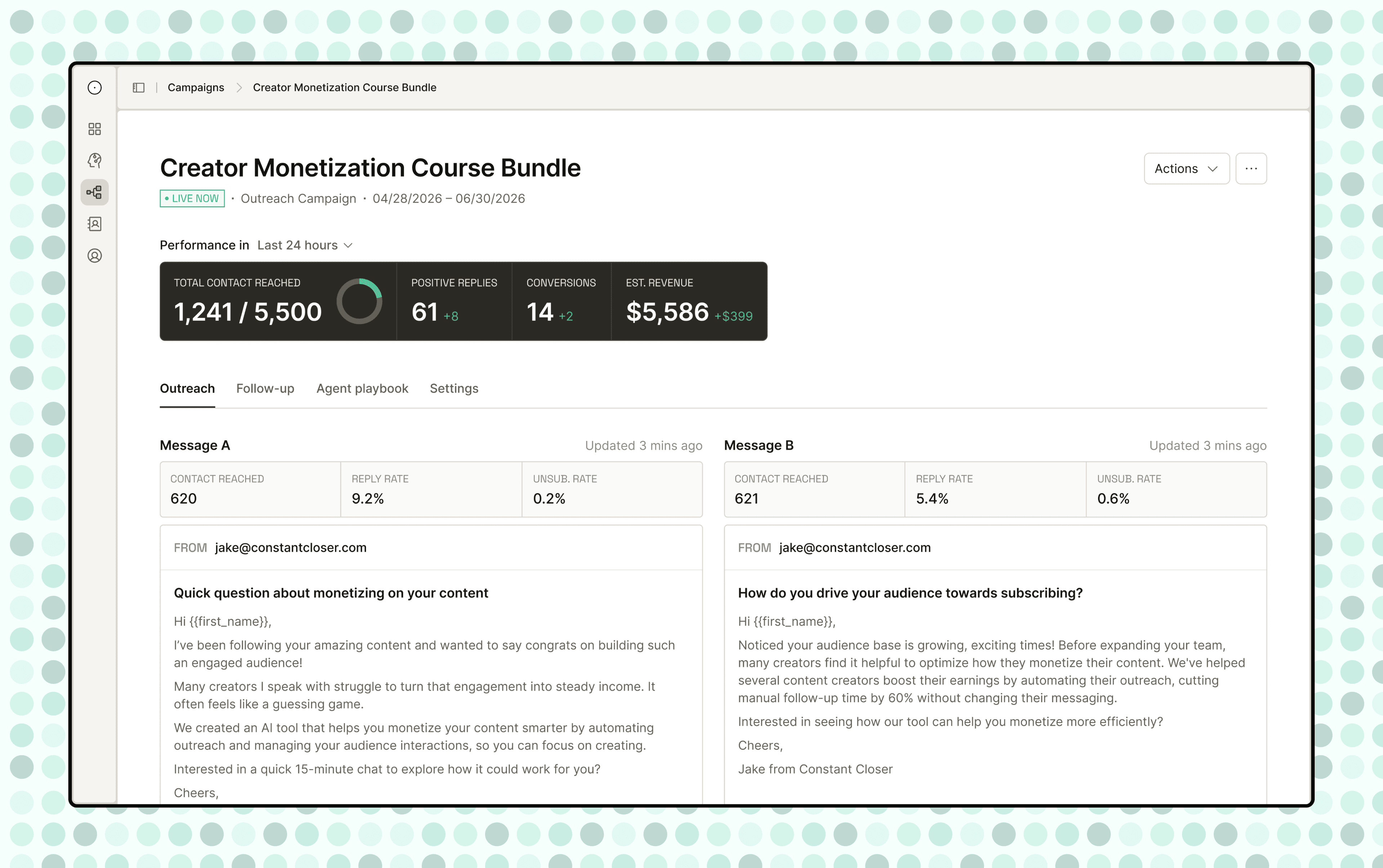
The AI agent that handles email outreach for creators and SMBs while they sleep
Constant Closer is an AI sales agent for creators and small businesses. You connect your audience, describe your offer, and the agent takes it from there: writing emails, following up, driving replies.
Early customers saw real results. The team istaking the product from something that works to something users actually want to run themselves.
The product worked, but our customers didn't want to use it themselves.
Customers loved the results but kept leaning on our team to set campaigns up. When asked why they don't use the tool themselves, almost all said the same thing:
"The sales agent is great, but I just don't have the time to work on it."
The obvious read is that they simply don't want to spend time on our platform. But what they're actually saying is:
"The sales agent is great, but I just don't have the time to work on it. the tool isn't worth my time."
To make the platform desirable, we need more than one-off setup utilities.
Customers were front-loaded with agent configuration questions before they understood what they were building.
To earn real adoption, the product has to offer more than that.
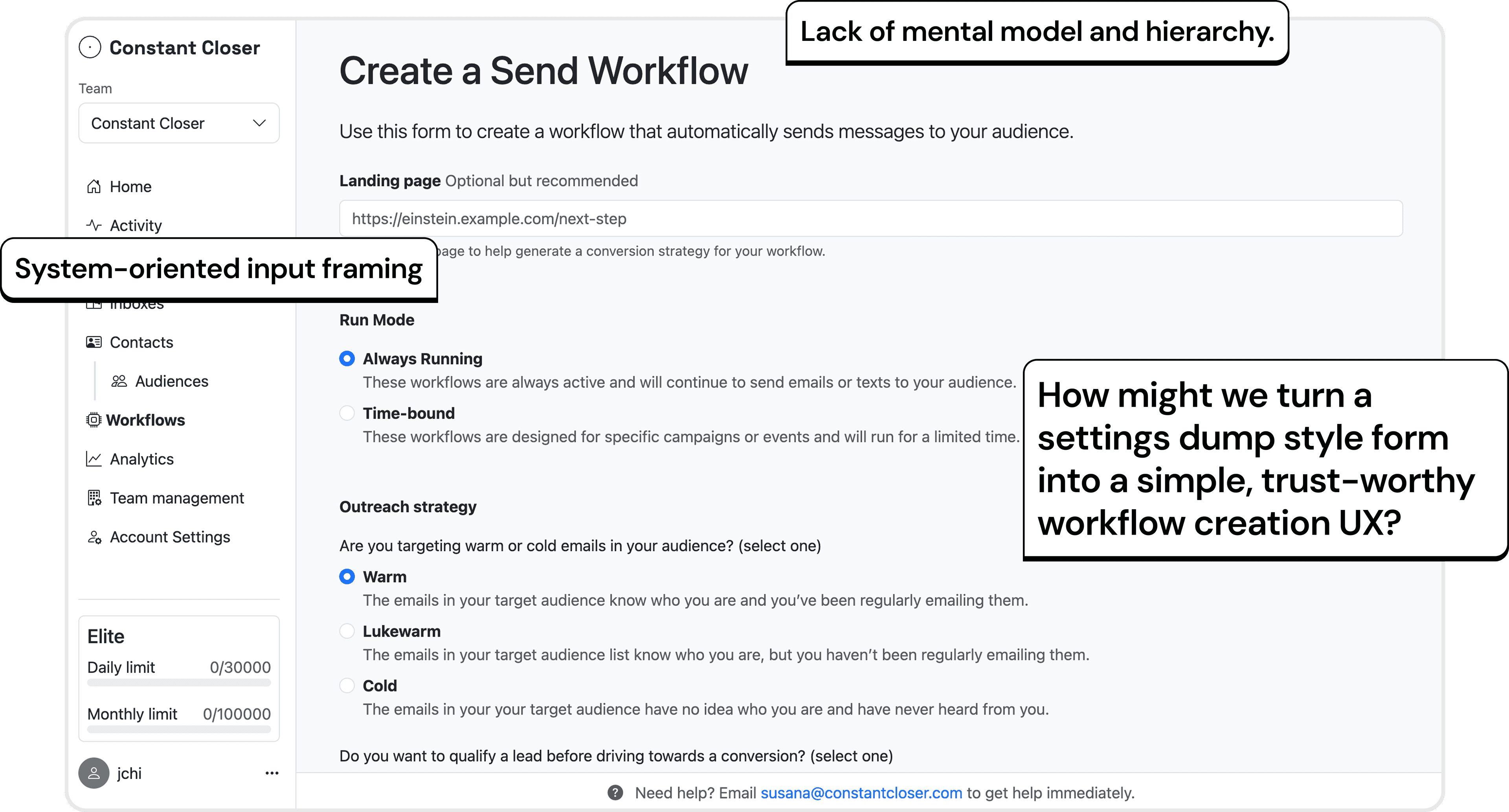
Simplify the workflow with a clear mental model. No changes to system capability.
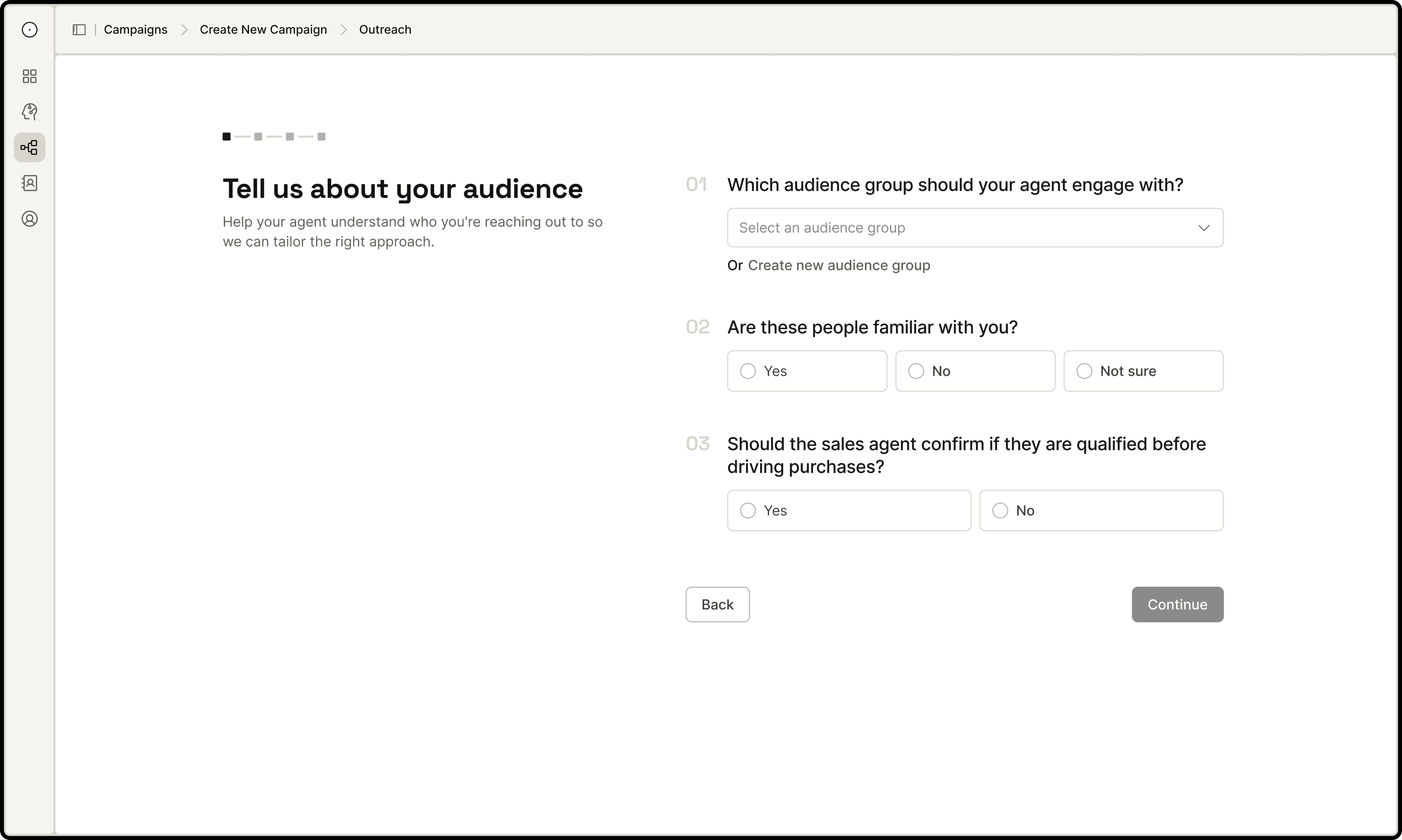
Use hierarchy, progress indicator, and user-centric language to replace the flat configuration wall.
Ground the workflow with purpose and context, not parameters.
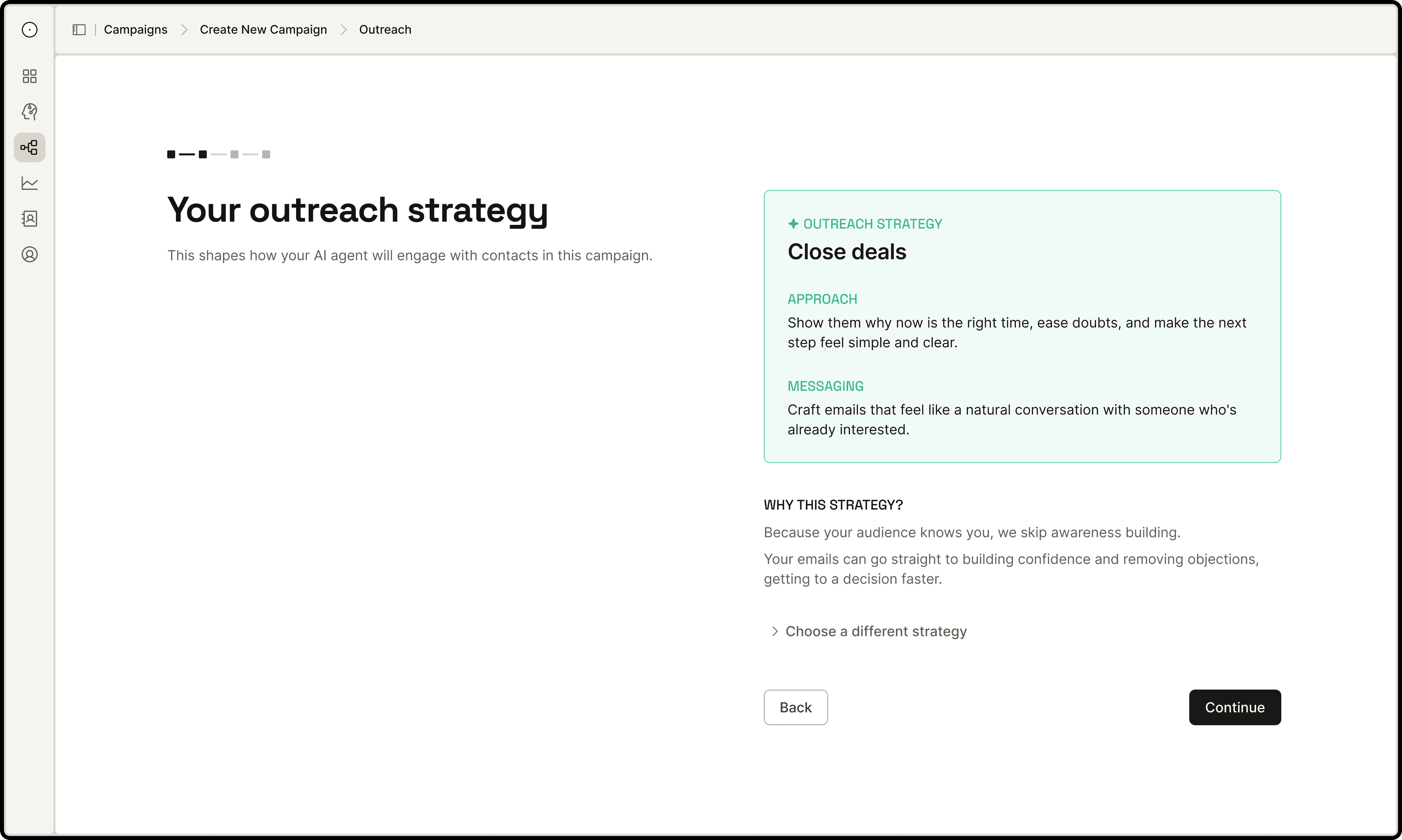
Make AI reasoning transparent and explainable, framed with user value not data schema.
Strengthen the high-stakes inputs with AI to ensure campaign quality.
Let AI read your offer. Then ask if it got it right.
The agent scrapes the page and surfaces a summary for human to review before anything gets passed to the campaign generator.
Help user get pass blank canvas and draft better inputs for the campaign generation.
Example presets to start from, real-time attribute hints while typing, and an LLM check that surfaces missing coverage and offers to fill the gaps.
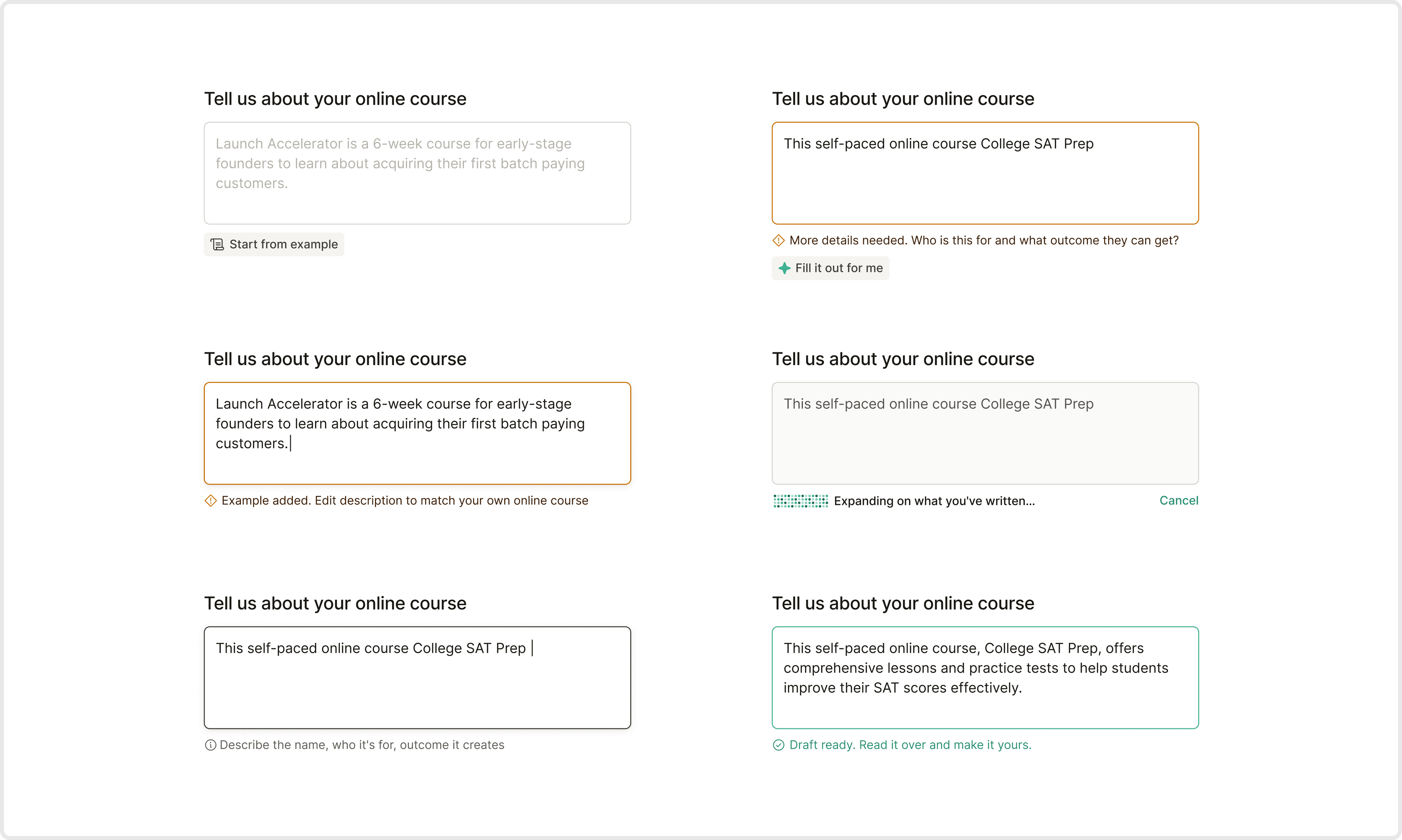
Campaign Workspace that integrates insights and actions
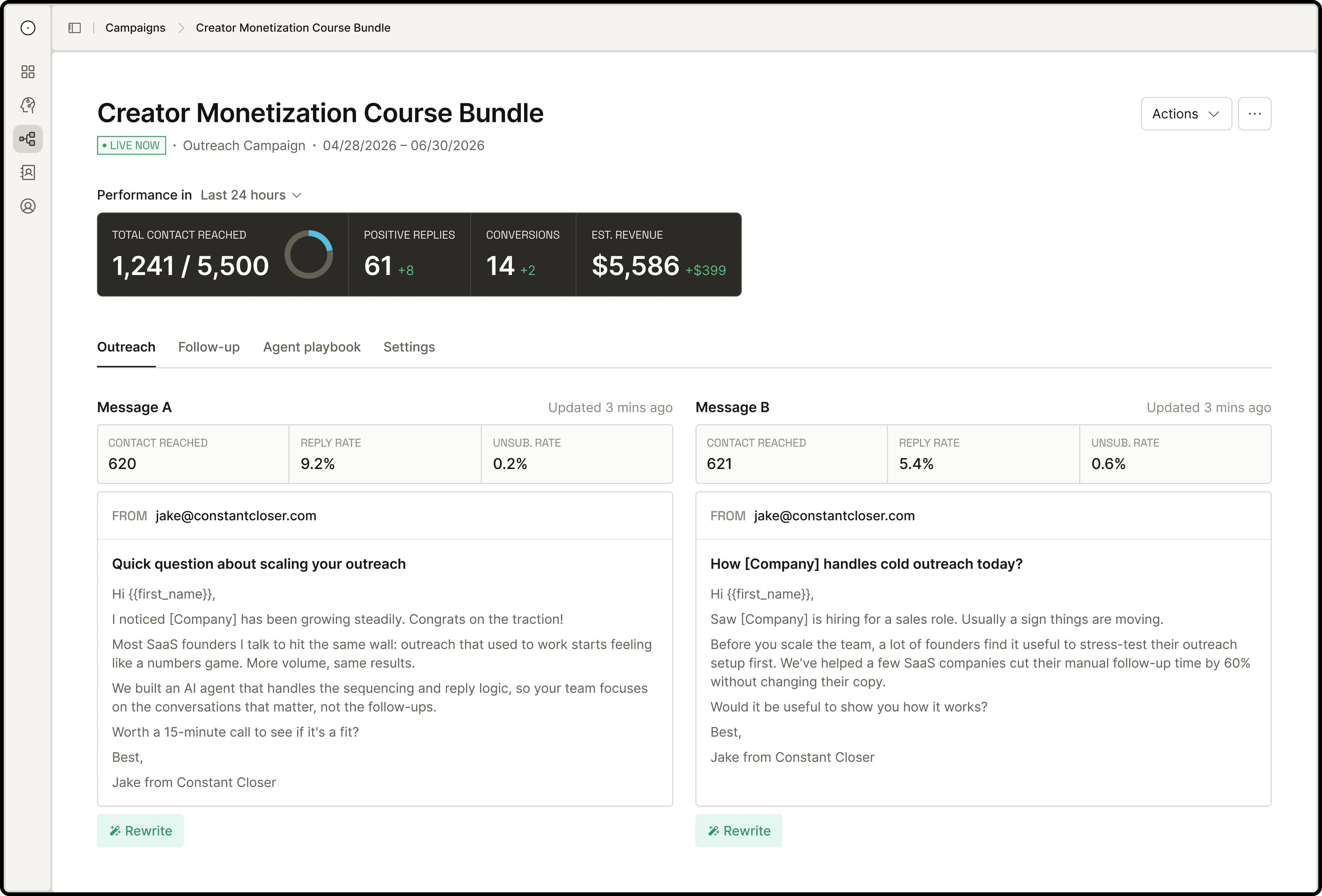
Display live results, and let user make judgements
Positioned the A/B versions not as two static email templates, but as the dashboard for performances and refinedments.
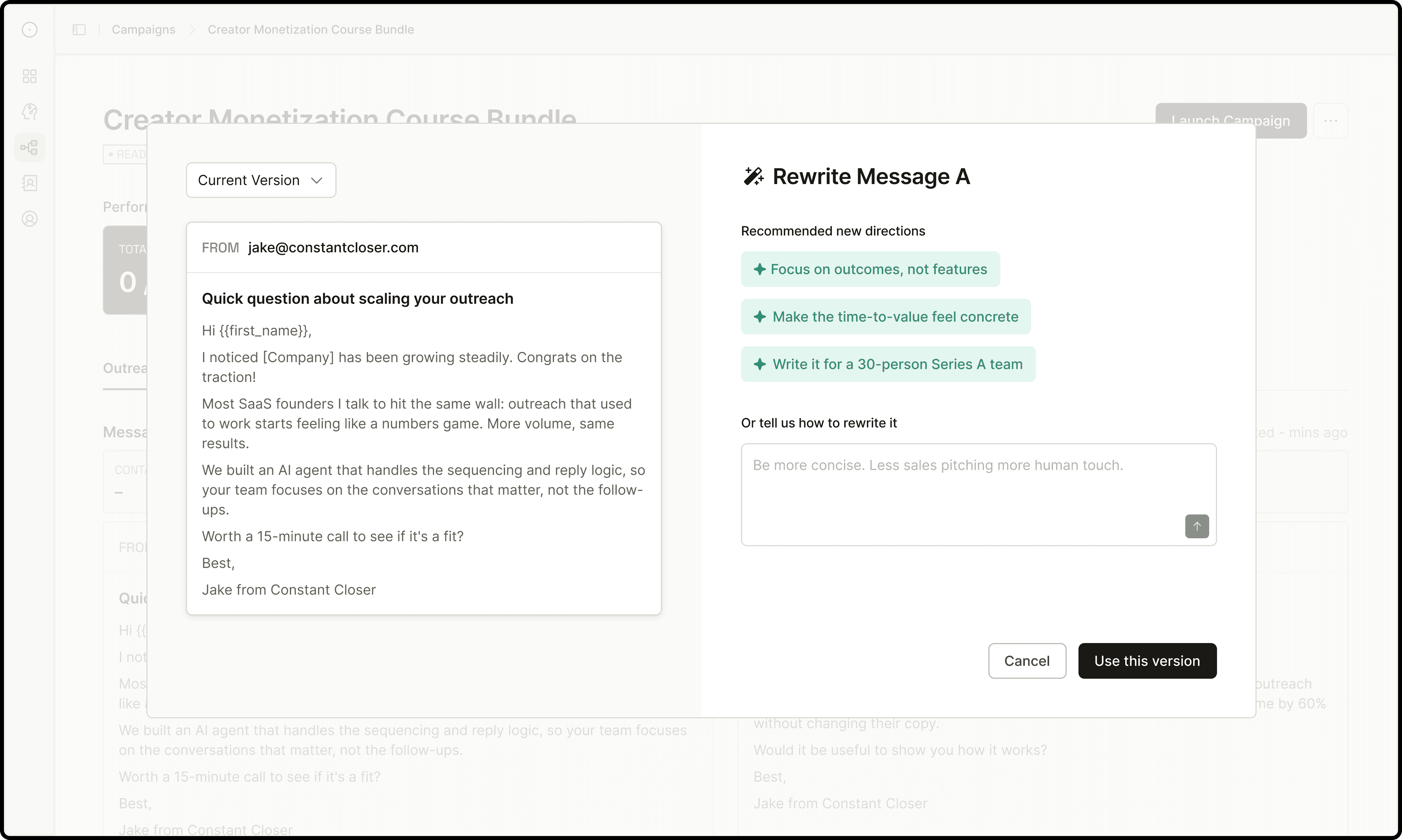
Rewrite emails with recommended angles or prompt the AI directly.
Context-aware quick directions are generated at convenience. Every rewrite is saved to version history so nothing feels permanent.
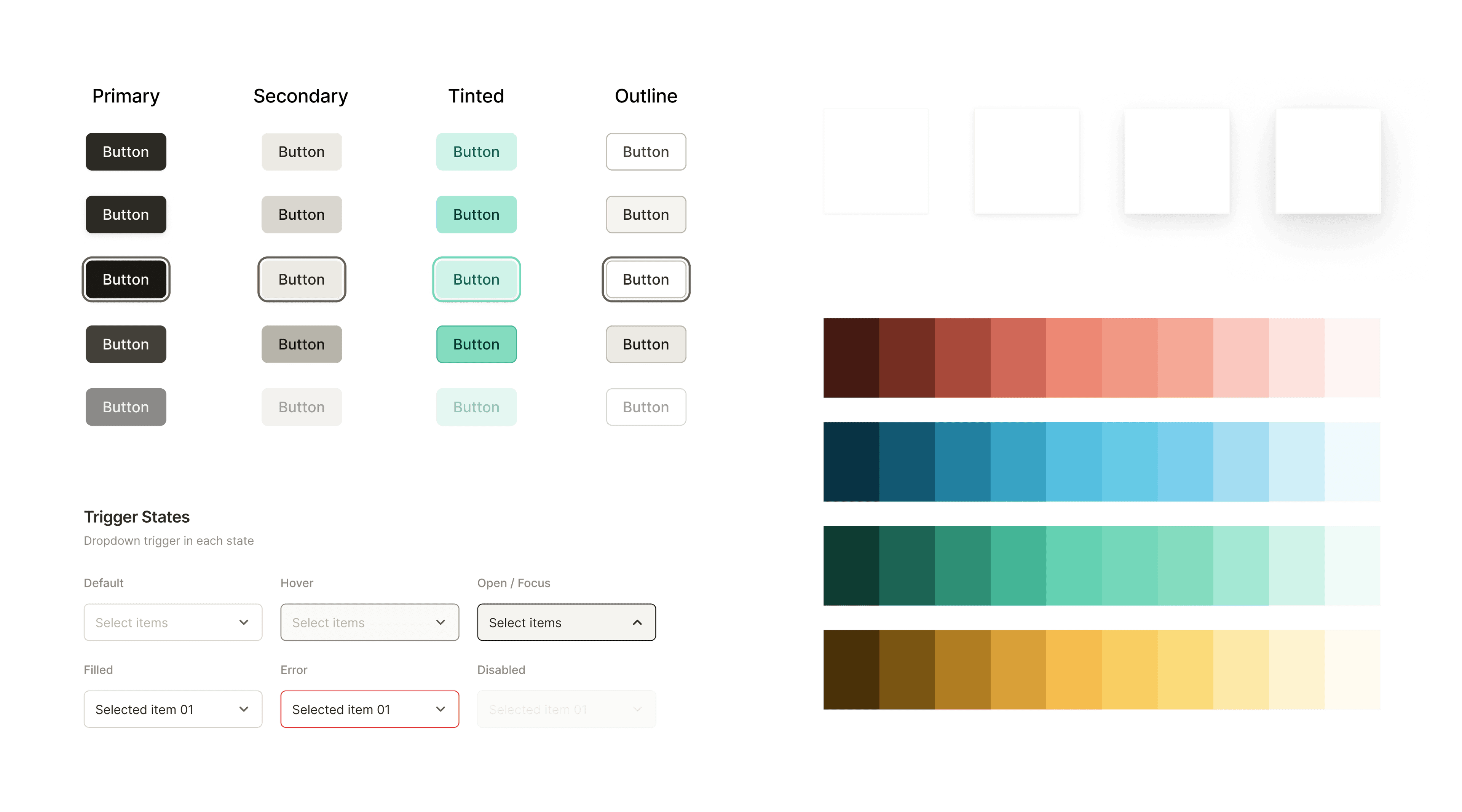
Iterate with speed and consistency with design tokens and components
Use Claude Code to kickoff brainstorming on visual directions and primitives, iterate between Figma canvas and code to shape semantic decisions while building out the experience.
Defining what success looks like
A redesign only matters if it changes behavior. Four criteria I'd monitor to measure the impact:
Adoption %
Users who launched a campaign ÷ active customers
Self-launch %
User-launched campaigns ÷ total campaigns launched
Time to first campaign
Avg. days from onboarding complete to first campaign launched
White-glove reduction
Reduction in team-assisted setup requests
Takeaway
Know where the model decides and where the user must.
Surface, hide, and automate are product decisions. You can't make them without understanding the pipeline.
Translate capability into legibility, not simplicity.
The interface should make the AI readable to the user — not make the AI feel smaller than it is.
Ship prototypes in code early.
Building in Claude Code exposed gaps that wireframes and mockups never would. For AI products especially, the interaction only reveals itself at runtime.